AmbiSecure OnePass USB Key
A FIDO2 hardware security key in USB-A or USB-C form factor. No battery. No app. No firmware update over the network. Tap and you are authenticated.
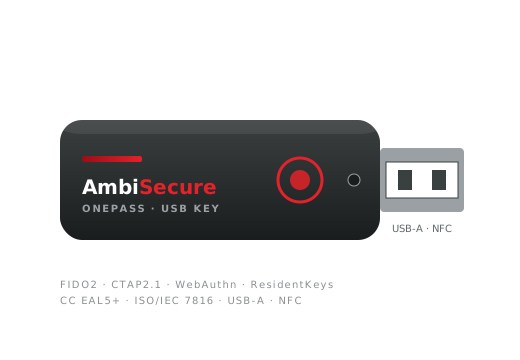
When the form factor needs to be a key, not a card.
Distributed workforces
Remote employees, contractors, BYOD-policy environments. A key on a lanyard is the simplest issuance path.
No card readers
Plug straight into the laptop. No NFC reader required, no contactless infrastructure.
Battery-free
USB-powered. No service interruptions, no end-of-life from a dead cell.
Phishing-resistant
FIDO2 binds the credential to the relying party origin. Phishing pages cannot use a harvested credential.
Resident credentials
Discoverable credentials for username-less, passwordless flows.
Optional PIV
Government / enterprise PIV applet available alongside FIDO — one device, two protocols.
What is in the key.
| Form factor | USB-A or USB-C; ~38 × 14 × 4 mm; aluminium body |
|---|---|
| Interfaces | USB 2.0 HID |
| Protocols | FIDO2 (CTAP2.1); FIDO U2F (CTAP1); PIV-compatible applet (optional SKU) |
| Cryptography | ECC P-256 (FIDO2); ECC P-384 (optional); RSA 2048 / 3072 (PIV); SHA-256 / SHA-384 |
| Resident credentials | Up to 25 discoverable credentials (depending on chip variant) |
| OS support | Windows, macOS, Linux, ChromeOS; iOS / Android via WebAuthn over USB-C |
| Operating system | JavaCard 3.x with GlobalPlatform 2.3.1 |
| Certification | Customer implementation certified to FIDO L1; Common Criteria EAL6+ chip |
| Personalisation | Compatible with our Multi-Card Applet Loading Tool, Security Key Manager, NDEF Personalisation Tool |
| MOQ | Pilot batches from 100 units; production from 1,000 units |
How customers deploy it
Issue
Hand a key to each user. Lanyard, label, or just a sticker.
Enroll
User registers via WebAuthn against the relying party (Azure AD / Okta / Google / Bitwarden).
Auth
Plug-tap to authenticate to apps that require MFA.
Recover
Lost key? Issue a backup; revoke the lost AAGUID at the IdP.
Connected reading
Solution: Passwordless & MFA
The full reference architecture and migration path.
Technology: FIDO
How FIDO2 is built — CTAP2, WebAuthn, attestation.
Blog: Implementing FIDO2
Complete developer walkthrough with code that compiles.
Live demo: FIDO / WebAuthn ↗
Explore the AmbiSecure FIDO/WebAuthn demo — register and authenticate with a touch.
Pilot a hundred USB keys.
Tell us USB-A or USB-C, target deployment, certification target. We can usually ship a pilot batch within 6–8 weeks.